
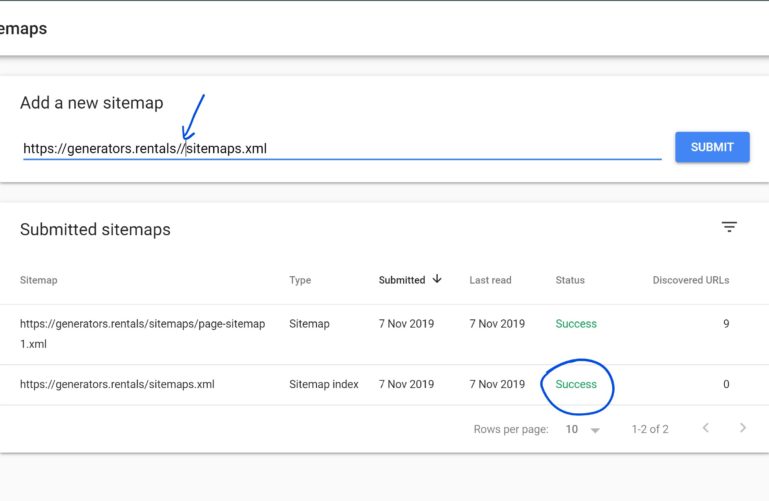
If you have been hit by the annoying Google search console bug where your sitemaps are not fetched, I finally found a solution that works 50% of the time.
This issue drove me nuts for almost 20 days now and I couldn’t find a solution to the issue literally anywhere on the web.
The big surprise is that a large number of users are affected by this issue. Even though:
- You have a valid sitemap
- There are no errors on your chrome console
- Curl command gives status 200
Google just wouldn’t fetch it. Nada.
Without keeping you waiting, here’s the solution and I just stumbled upon it while trying to index our 8 new websites, so you can imagine the pressure our team was in for 20 days!
Here’s How to Fix The Couldn’t Fetch Google Search Console Error
- Login To Google Search Console
- Click on “Sitemaps” on the left panel/Menu
- On add a sitemap, enter URL of the sitemap you are trying to index
- Add a Forward slash “/” just after the last forward slash in the URL (See Screenshot)
- Click on Submit
- If you still get an error, repeat without the extra forward slash
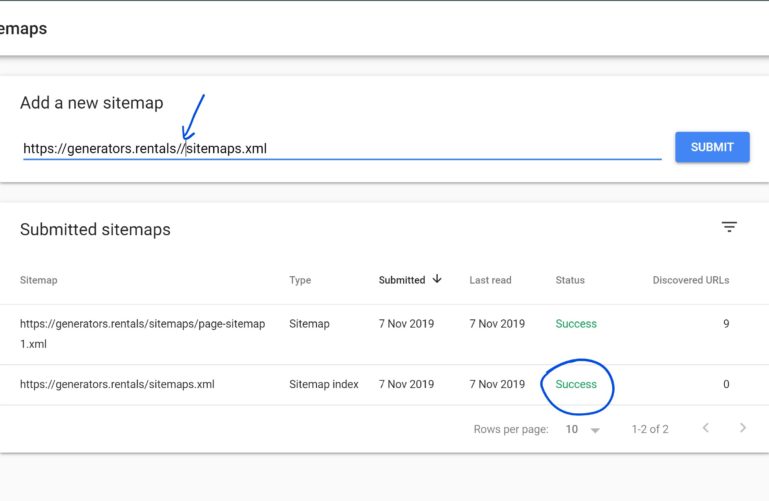
This should do it. It worked on all of the 8 websites. Don’t worry, even with the extra forward slash, Google search console will index the right URL!
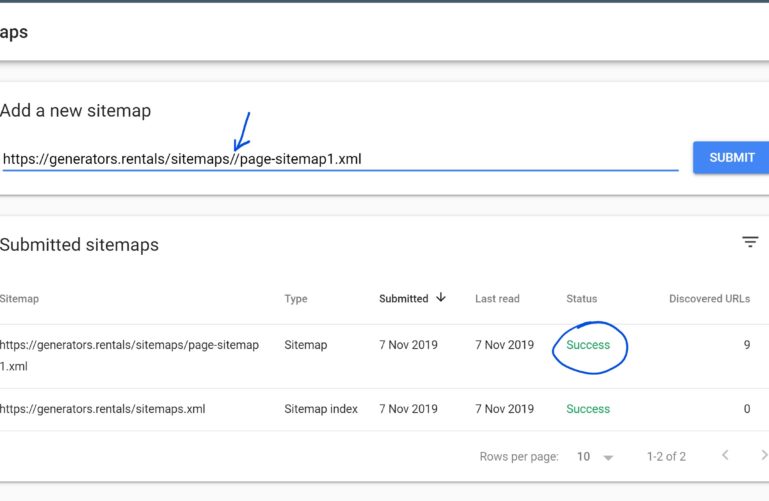
Other Submitted Solutions That Worked
I had the website verified in console as http:// yet the live website had an https:// and this means the the sitemaps had https://.
I deleted the http:// property and added it again as https:// and the sitemaps issue was fixed. I was using Yoast to generate the sitemaps.
Caleb
Did it work for you? Let me know down in the comments!